
How to Check IP Purity? A Complete Guide to IP Reputation and Risk Detection
Learn what IP purity means, which 6 indicators matter when evaluating IP reputation and risk, and how to check IP quality, AI tool compatibility, and live website connectivity in one place with IP-find.com.
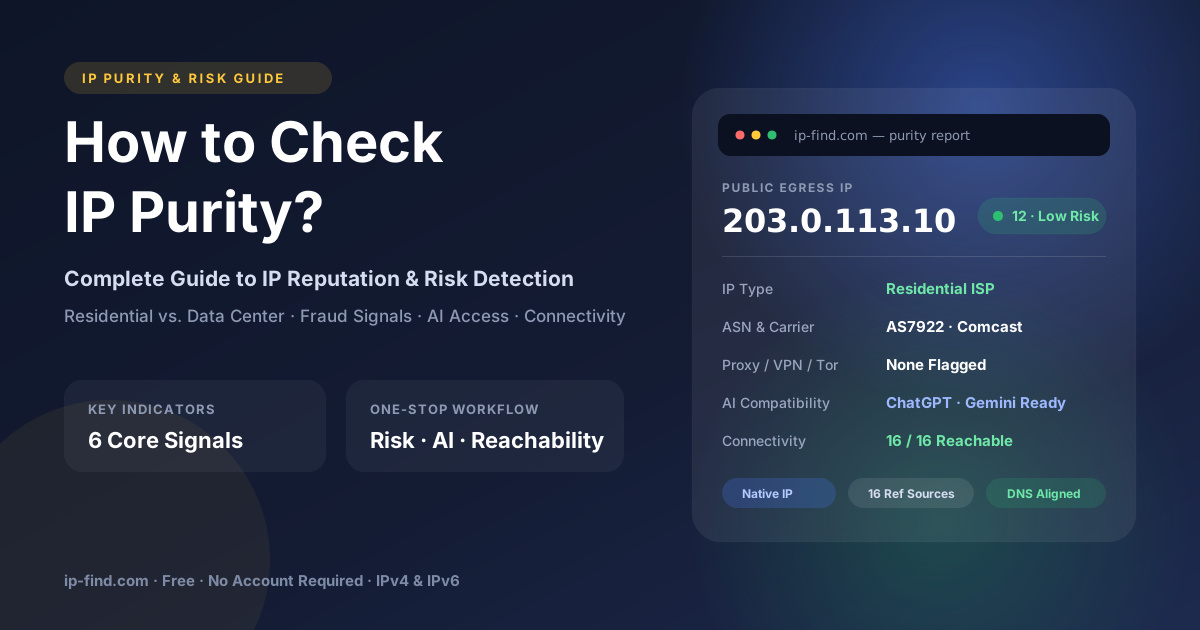
When accessing websites or online services, you may occasionally encounter messages such as "This service is not available in your region" or find that certain websites refuse to load. Some business platforms may also restrict access because your IP address has a poor reputation or has been flagged by their security systems.
These issues are often related to your IP address's reputation, location, or risk profile.
So, how can you determine whether an IP address is clean and trustworthy before using it?
In this guide, we'll explain what IP purity means, which indicators matter when evaluating IP quality, and how to use IP-find.com to check your IP address in one place.
What Is IP Purity?
IP purity generally refers to the reputation and risk history associated with an IP address.
A clean IP address typically has fewer known associations with suspicious activities, abuse, spam, or other behaviors that may trigger website security systems.
However, IP purity does not simply depend on how many people have used an IP address. A previously shared IP can still have a good reputation, while an IP that has never been widely used may still be flagged due to suspicious activity.
Websites and online platforms evaluate IP addresses using various signals, including:
- IP reputation and historical abuse records.
- Whether the IP belongs to a residential, mobile, or data center network.
- Whether the IP is associated with VPNs, proxies, or Tor.
- Geographic location and network consistency.
- Suspicious traffic patterns and automated behavior.
In other words, IP purity is a comprehensive assessment of how trustworthy an IP address appears to online services.
Why Does IP Purity Matter?
As online security systems become increasingly sophisticated, more websites and digital platforms rely on IP reputation and geolocation data to identify potentially risky traffic.
An IP address with a poor reputation or an unexpected geographic location may trigger additional security checks or access restrictions.
Here are some common scenarios where IP quality matters:
1. Accessing AI Tools
AI platforms such as ChatGPT and Gemini may apply regional availability restrictions and additional security checks. If your IP address comes from an unsupported region or is flagged by the platform's risk detection system, you may encounter access restrictions.
2. Creating and Managing Online Accounts
Some platforms evaluate IP reputation during registration and login. An IP address associated with suspicious activity, excessive account creation, or automated traffic may trigger additional verification.
3. Accessing Business Websites and Online Services
E-commerce platforms, payment services, streaming websites, and other business platforms may use IP reputation systems to detect suspicious connections and prevent abuse.
4. Web Scraping and Automated Tasks
For developers and data scraping users, IP reputation can directly affect connection stability. IP addresses with a history of abuse or excessive automated requests may be blocked or rate-limited.
Therefore, checking your IP address before using an important online service can help you identify potential risks in advance.
What Factors Determine Whether an IP Is Clean?
There is no single universal standard for IP purity. Different websites use different security providers, risk models, and detection rules.
However, several key indicators can help you evaluate the overall quality of an IP address.
1. IP Type: Residential vs. Data Center
One of the first things to check is the type of network your IP address belongs to.
Residential IP
A residential IP is typically assigned by an Internet Service Provider (ISP) to a household or residential network.
Examples include residential connections provided by Comcast, HKT, and other telecommunications providers.
Residential IPs generally resemble ordinary consumer internet connections. However, residential IPs are not automatically clean or trustworthy. Their reputation and usage history still matter.
Data Center IP
A data center IP originates from cloud hosting providers, servers, or data center networks.
These IPs are commonly used for cloud computing, hosting, automation, and web scraping.
Some websites may apply stricter checks to data center IPs because they are frequently associated with automated traffic. However, legitimate services and applications also use data center IPs.
The key is to understand whether your IP type is suitable for the website or service you intend to access.
2. Fraud Score and Risk Assessment
A fraud score is an indicator used by certain IP intelligence providers to estimate the potential risk associated with an IP address.
Depending on the data provider, the score may consider:
- Historical abuse and suspicious activity.
- Known proxy or VPN associations.
- Spam and malicious traffic records.
- Other network reputation signals.
Generally, a higher risk score indicates a greater likelihood of the IP being considered suspicious.
Keep in mind that different providers use different scoring systems, so their scores should not be directly compared without understanding their definitions.
3. Proxy, VPN, Tor, and Bot Detection
Another important factor is whether your IP address is identified as a proxy, VPN, Tor exit node, or potentially automated traffic source.
These classifications can influence how websites handle your connection.
For example:
- VPN: An IP associated with a virtual private network.
- Proxy: An IP used to forward network requests.
- Tor: An IP associated with the Tor anonymity network.
- Bot: An IP or traffic source associated with automated activity.
Not every proxy or VPN IP is malicious. However, some websites restrict these connections because they want to reduce abuse and automated access.
4. Blacklist Records and IP Reputation
An IP address may appear on one or more security or anti-spam blacklists due to previous suspicious activities.
These records may be related to:
- Spam emails.
- Malicious network activity.
- Brute-force login attempts.
- Abuse reports.
- Suspicious automated requests.
Checking blacklist records can help identify potential reputation issues.
However, being listed on one blacklist does not necessarily mean that an IP is universally blocked. Different services rely on different databases and security policies.
5. Geolocation, ASN, and DNS Consistency
Geographic information is another important part of IP evaluation.
You should check whether the following information is consistent with your actual network environment:
- IP geolocation: The country, region, and city associated with your IP.
- ISP: The Internet Service Provider responsible for the connection.
- ASN: The Autonomous System Number identifying the network operator.
- DNS configuration: Whether DNS requests are being routed through an unexpected network.
For example, if your IP address appears to be located in the United States while your DNS requests are being resolved through an unexpected region, this may indicate a network configuration issue or DNS leak.
It is important to distinguish between an IP geolocation mismatch and an actual DNS leak, as they are different technical issues.
6. Real-World Connectivity and Access Tests
Technical reputation scores are useful, but they cannot guarantee that an IP address will work with every website.
The final step is to test whether your IP can actually connect to the services you need.
For example, you can check connectivity to:
- Cloudflare
- ChatGPT
- Gemini
- Other commonly used websites and AI platforms
If a connection fails, you should investigate whether the issue is caused by regional restrictions, DNS configuration, network routing, IP reputation, or the target website itself.
How to Check IP Purity Using IP-find.com
Checking all these indicators individually can be time-consuming, especially when information comes from different IP intelligence providers.
IP-find.com provides a free IP detection platform that brings multiple IP information and risk assessment features together in one place.
It also provides AI tool compatibility checks and real-time website connectivity tests, helping users evaluate their network environment more efficiently.
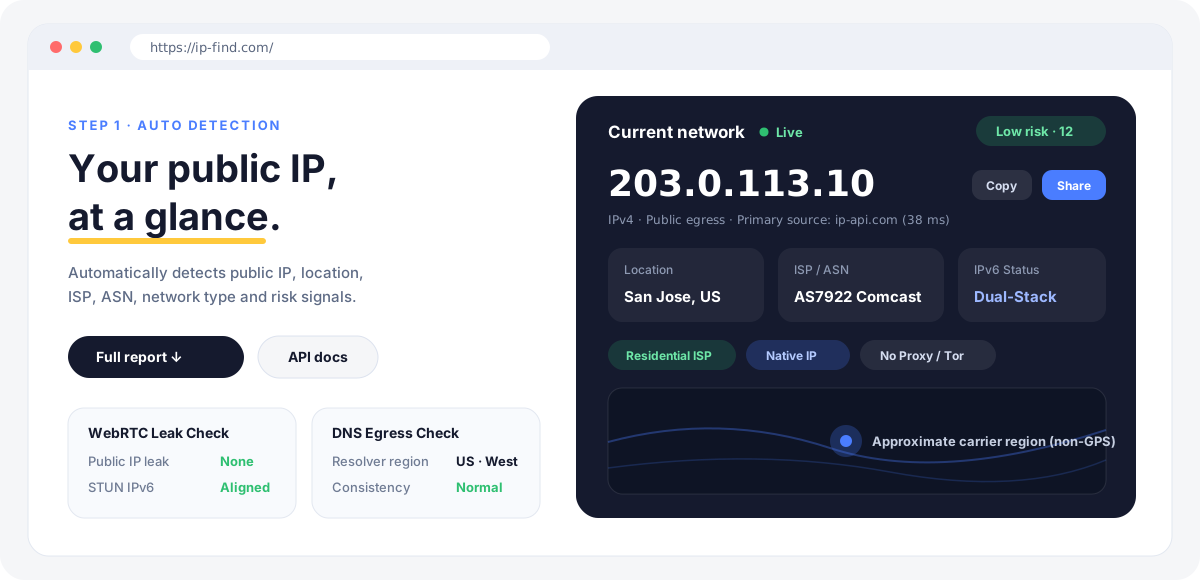
Step 1: Check Your Current IP Address
Visit IP-find.com.
Once the homepage loads, the website automatically detects your current public IP address and displays its basic information.
You can check details such as:
- Public IP address.
- Geographic location.
- ISP information.
- ASN information.
- IPv4 or IPv6 classification.
- IP network type.
- Residential or data center classification.
- IP risk score.
This gives you a quick overview of your current network environment without manually entering your IP address.
Step 2: Review Detailed IP Risk Information
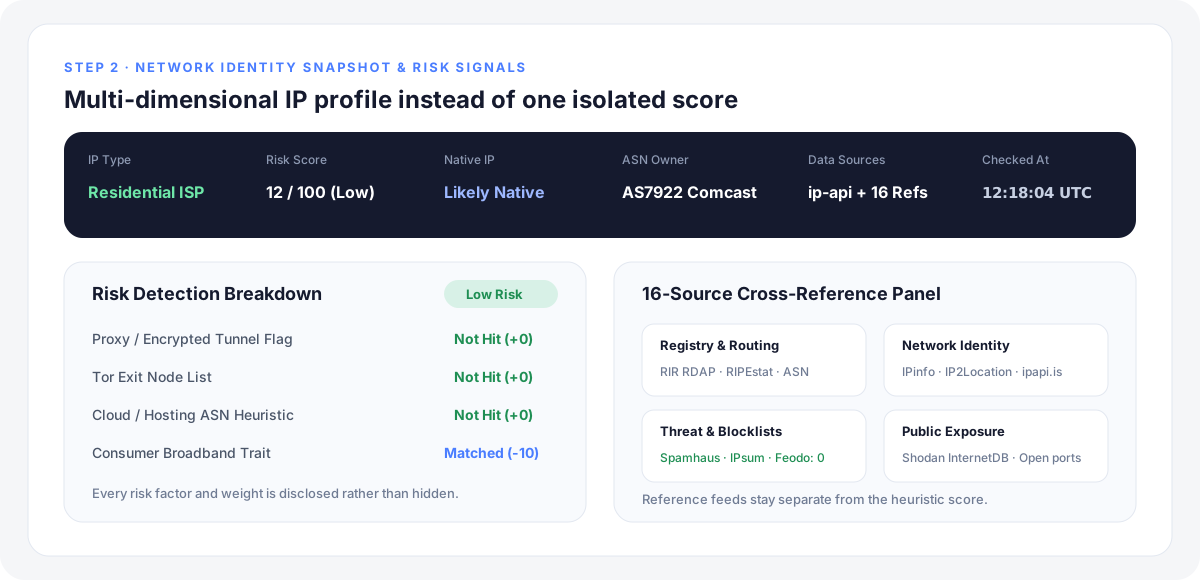
Scroll down to the next section of the homepage to explore more detailed IP detection results.
IP-find provides several categories of information to help you understand your IP address, including:
- IP type and network classification.
- IP risk assessment.
- ASN ownership and network provider.
- IP intelligence data sources.
- Detection timestamps.
By combining these indicators, you can get a more comprehensive understanding of your IP address rather than relying on a single reputation score.
Step 3: Check Whether Your IP Supports Popular AI Tools
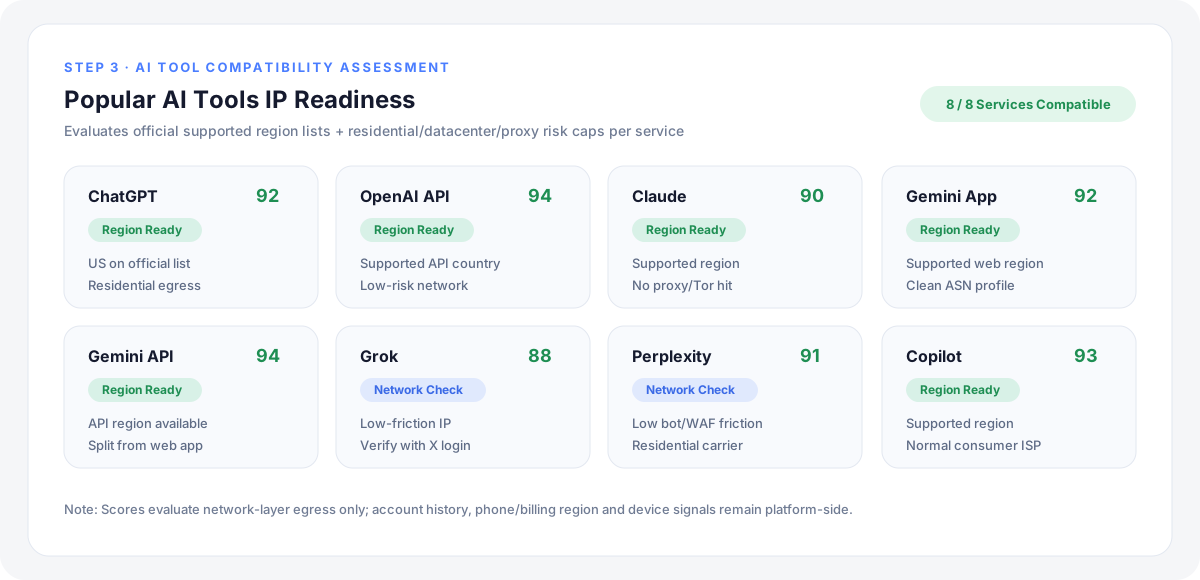
One of the useful features of IP-find is its AI tool compatibility detection.
Different AI platforms have their own regional availability policies and network security requirements.
IP-find analyzes available platform rules and compares them with your current IP information to provide an indication of potential compatibility.
This can help you identify possible access issues before attempting to register or log in to an AI service.
For users who frequently work with AI tools such as ChatGPT and Gemini, this feature provides a convenient way to review their current network environment.
Please note that compatibility results are assessments rather than guarantees. Actual access may also depend on account settings, platform policies, device configuration, and other security signals.
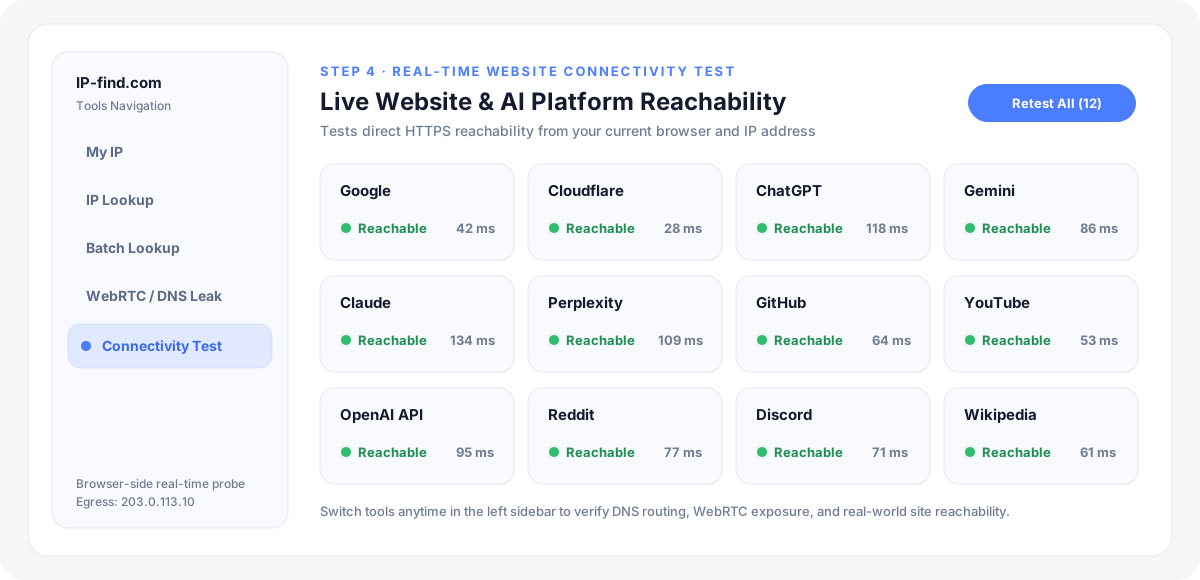
Step 4: Run Website Connectivity Tests
In addition to IP information and risk assessment, IP-find also provides website connectivity testing.
You can switch between different tools in the left-side navigation panel to check whether your current network can reach supported websites.
This is particularly useful when troubleshooting connection problems or checking whether a specific website is accessible through your current IP.
Final Thoughts
IP purity is not determined by a single score or classification. It involves multiple factors, including IP reputation, network type, historical abuse records, geographic information, and actual connectivity.
Before using an IP address for important online activities, it is worth checking these indicators to understand its potential risks and limitations.
Instead of visiting multiple websites and collecting information manually, you can use IP-find.com to review your IP information, evaluate potential risks, check AI tool compatibility, and test website connectivity in one place.
Whether you are an AI tool user, developer, web scraping enthusiast, or someone who simply wants to understand their network environment better, IP-find provides a convenient starting point for IP quality assessment.
Try IP-find for free: https://ip-find.com